W3cubDocs
/Next.jsRouting Fundamentals
The skeleton of every application is routing. This page will introduce you to the fundamental concepts of routing for the web and how to handle routing in Next.js.
Terminology
First, you will see these terms being used throughout the documentation. Here's a quick reference:
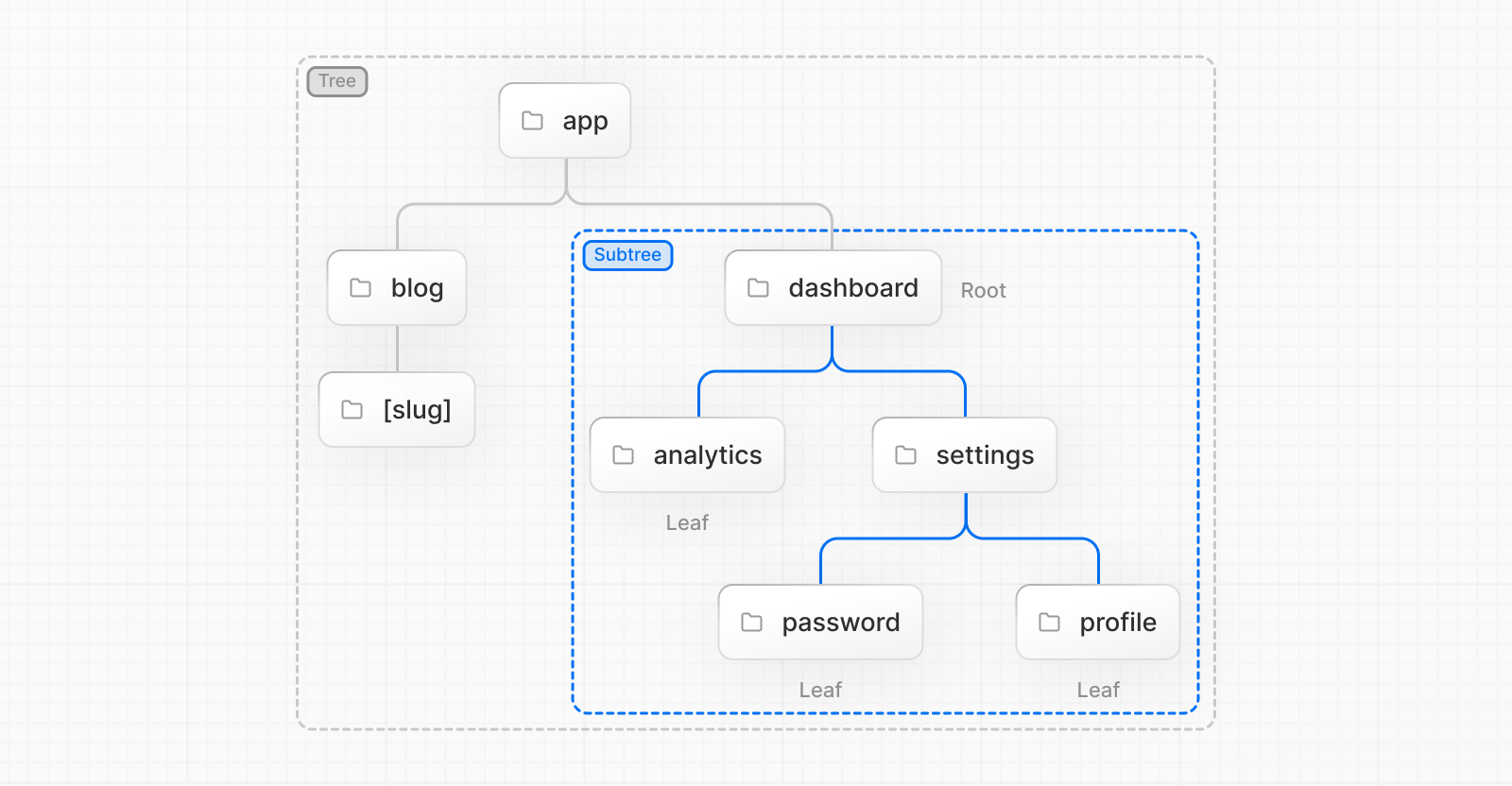
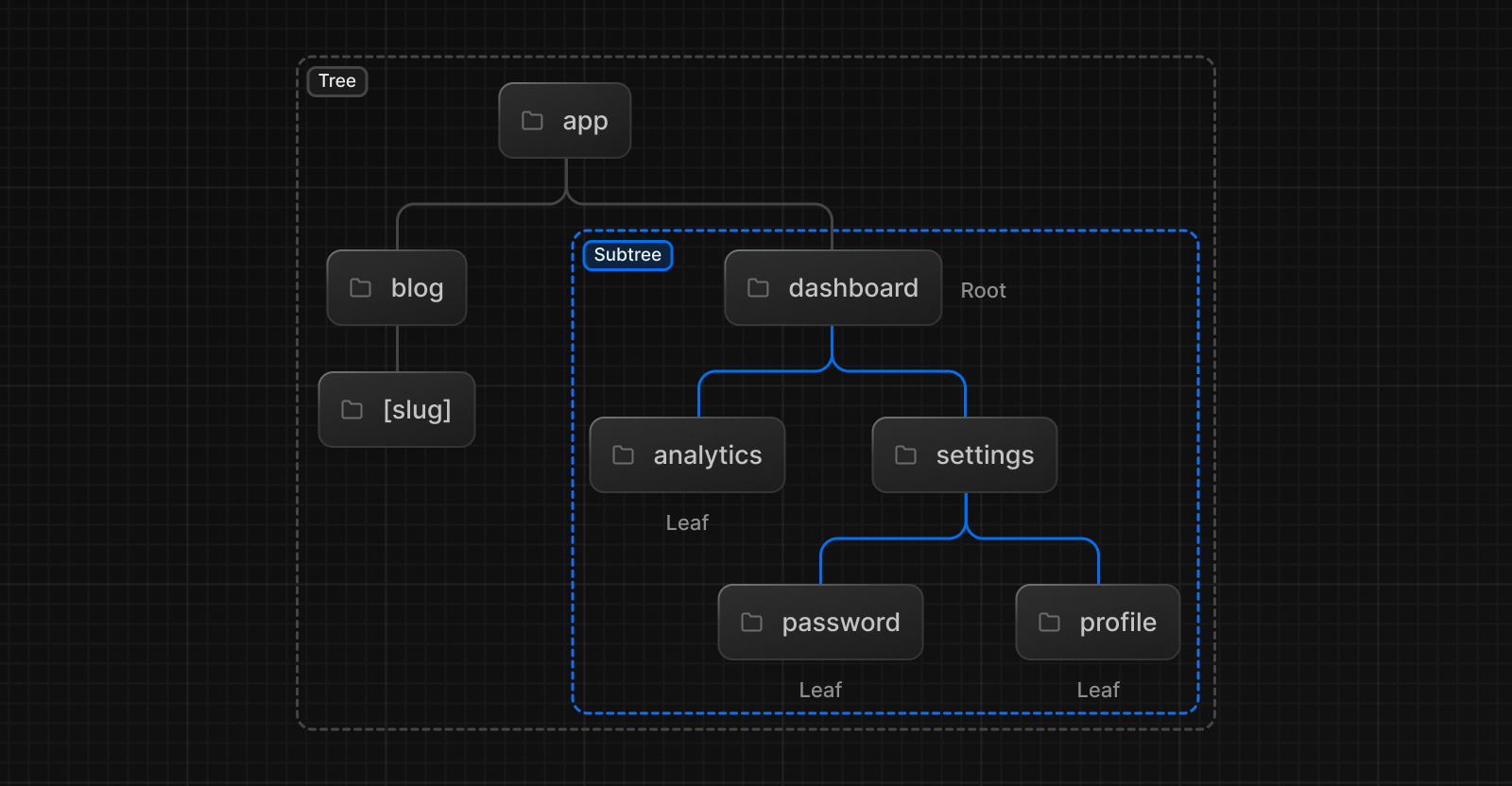
- Tree: A convention for visualizing a hierarchical structure. For example, a component tree with parent and children components, a folder structure, etc.
- Subtree: Part of a tree, starting at a new root (first) and ending at the leaves (last).
- Root: The first node in a tree or subtree, such as a root layout.
- Leaf: Nodes in a subtree that have no children, such as the last segment in a URL path.


- URL Segment: Part of the URL path delimited by slashes.
- URL Path: Part of the URL that comes after the domain (composed of segments).
The app Router
In version 13, Next.js introduced a new App Router built on React Server Components, which supports shared layouts, nested routing, loading states, error handling, and more.
The App Router works in a new directory named app. The app directory works alongside the pages directory to allow for incremental adoption. This allows you to opt some routes of your application into the new behavior while keeping other routes in the pages directory for previous behavior. If your application uses the pages directory, please also see the Pages Router documentation.
Good to know: The App Router takes priority over the Pages Router. Routes across directories should not resolve to the same URL path and will cause a build-time error to prevent a conflict.


By default, components inside app are React Server Components. This is a performance optimization and allows you to easily adopt them, and you can also use Client Components.
Recommendation: Check out the Server page if you're new to Server Components.
Roles of Folders and Files
Next.js uses a file-system based router where:
-
Folders are used to define routes. A route is a single path of nested folders, following the file-system hierarchy from the root folder down to a final leaf folder that includes a
page.jsfile. See Defining Routes. - Files are used to create UI that is shown for a route segment. See special files.
Route Segments
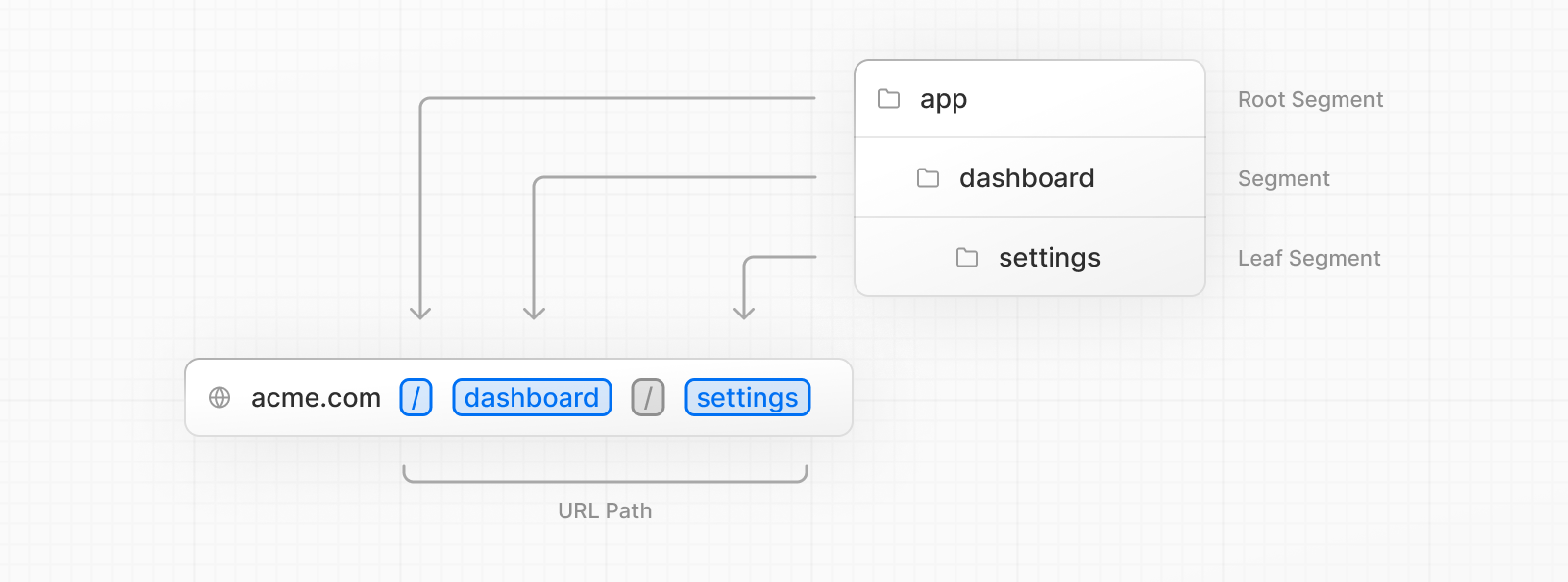
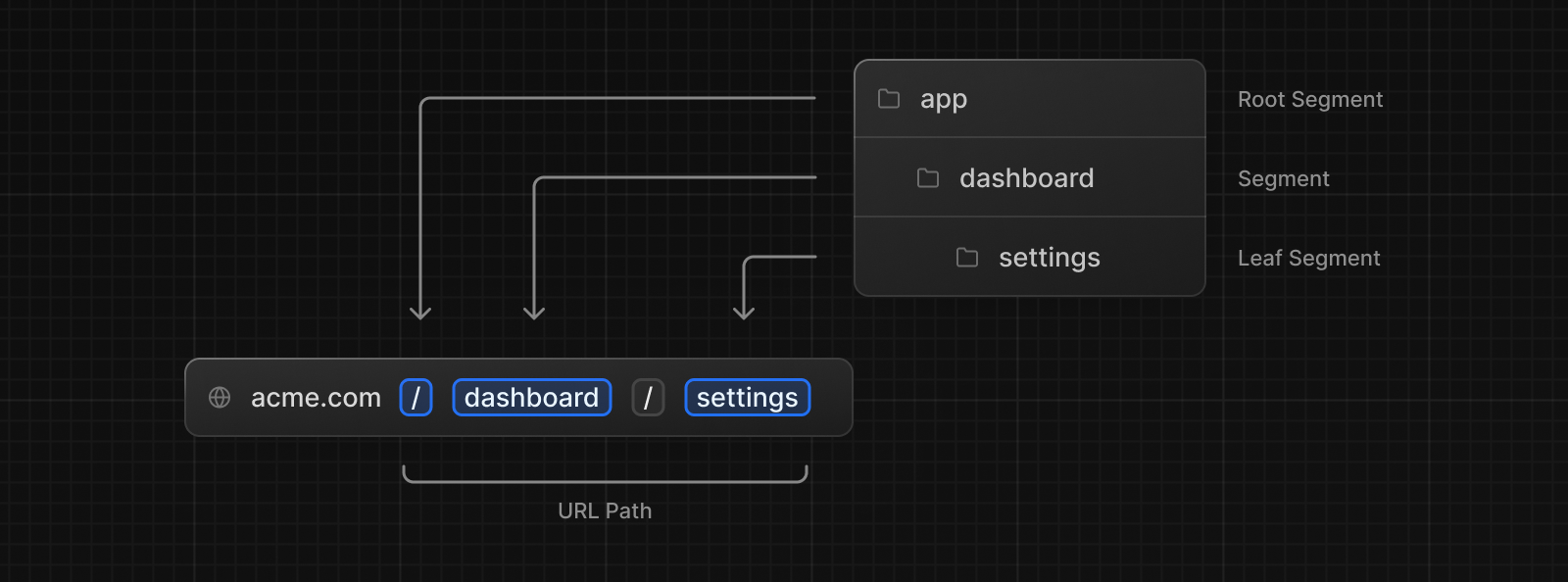
Each folder in a route represents a route segment. Each route segment is mapped to a corresponding segment in a URL path.
Nested Routes
To create a nested route, you can nest folders inside each other. For example, you can add a new /dashboard/settings route by nesting two new folders in the app directory.
The /dashboard/settings route is composed of three segments:
-
/(Root segment) -
dashboard(Segment) -
settings(Leaf segment)
File Conventions
Next.js provides a set of special files to create UI with specific behavior in nested routes:
layout |
Shared UI for a segment and its children |
page |
Unique UI of a route and make routes publicly accessible |
loading |
Loading UI for a segment and its children |
not-found |
Not found UI for a segment and its children |
error |
Error UI for a segment and its children |
global-error |
Global Error UI |
route |
Server-side API endpoint |
template |
Specialized re-rendered Layout UI |
default |
Fallback UI for Parallel Routes |
Good to know:
.js,.jsx, or.tsxfile extensions can be used for special files.
Component Hierarchy
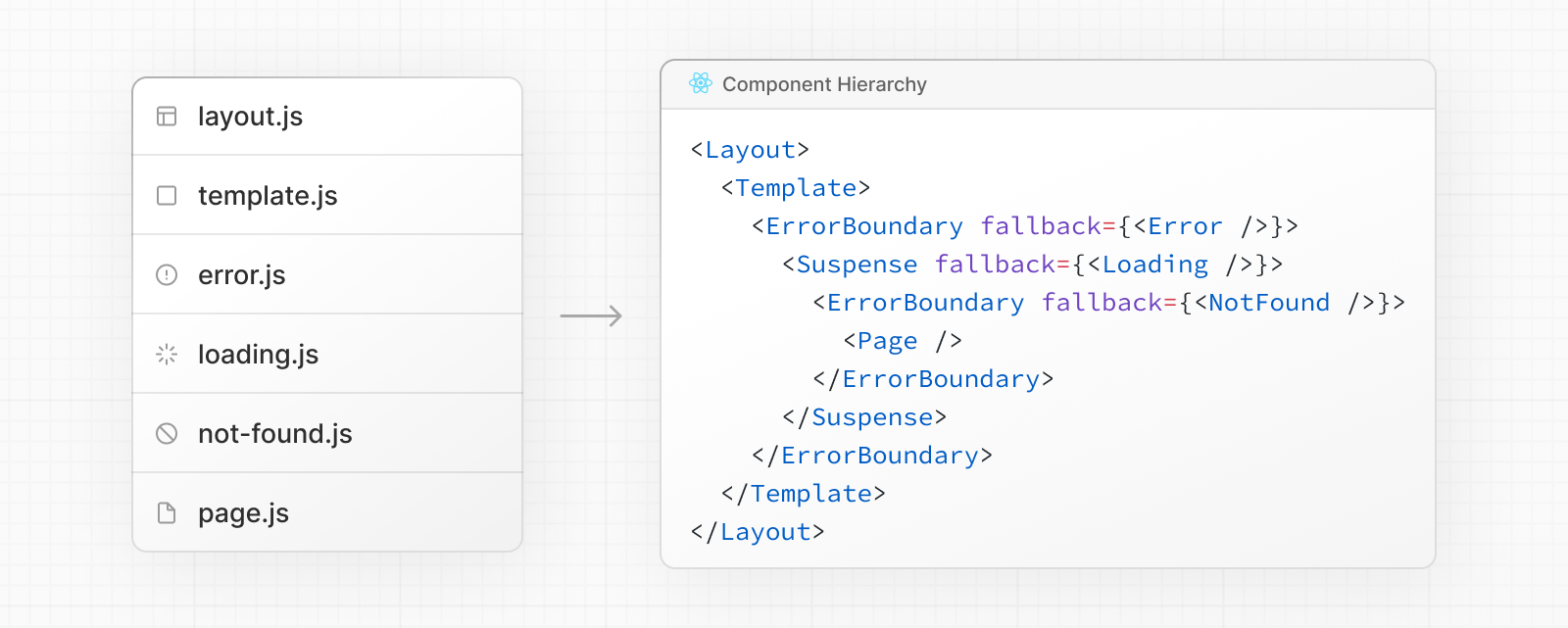
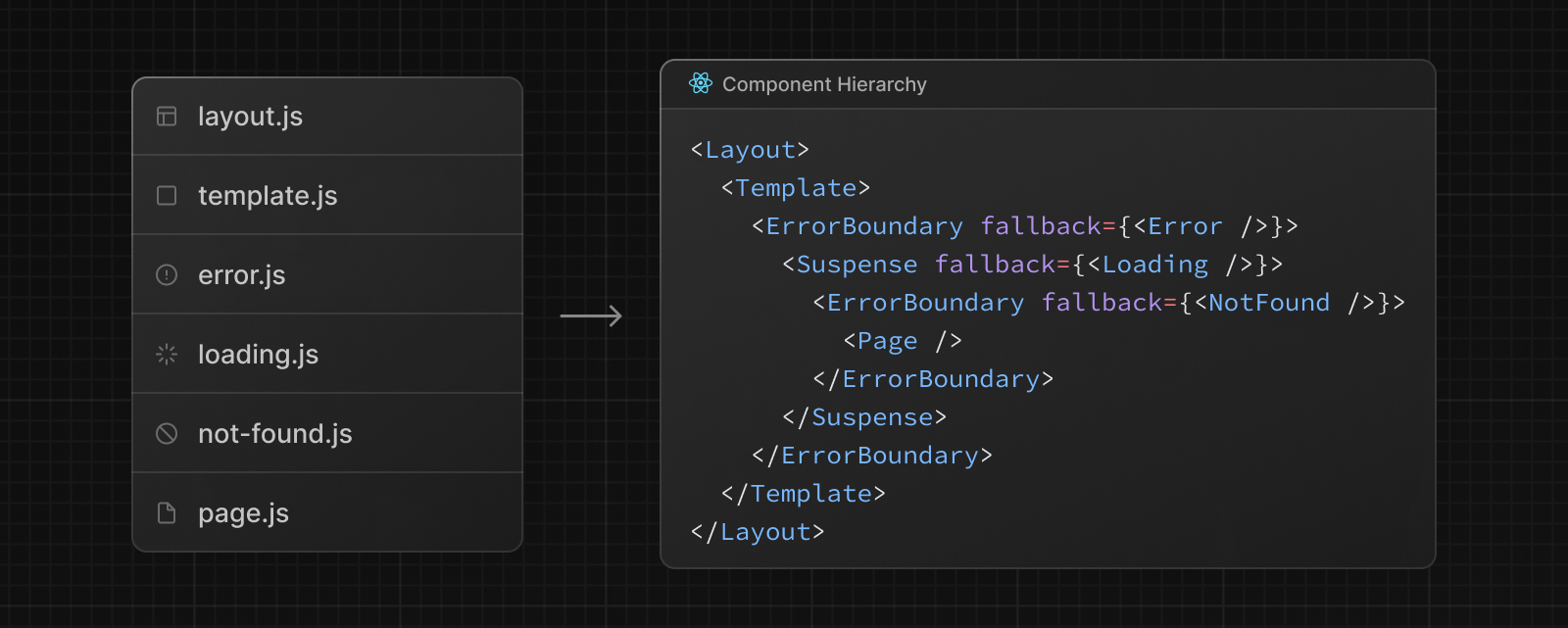
The React components defined in special files of a route segment are rendered in a specific hierarchy:
layout.jstemplate.js-
error.js(React error boundary) -
loading.js(React suspense boundary) -
not-found.js(React error boundary) -
page.jsor nestedlayout.js
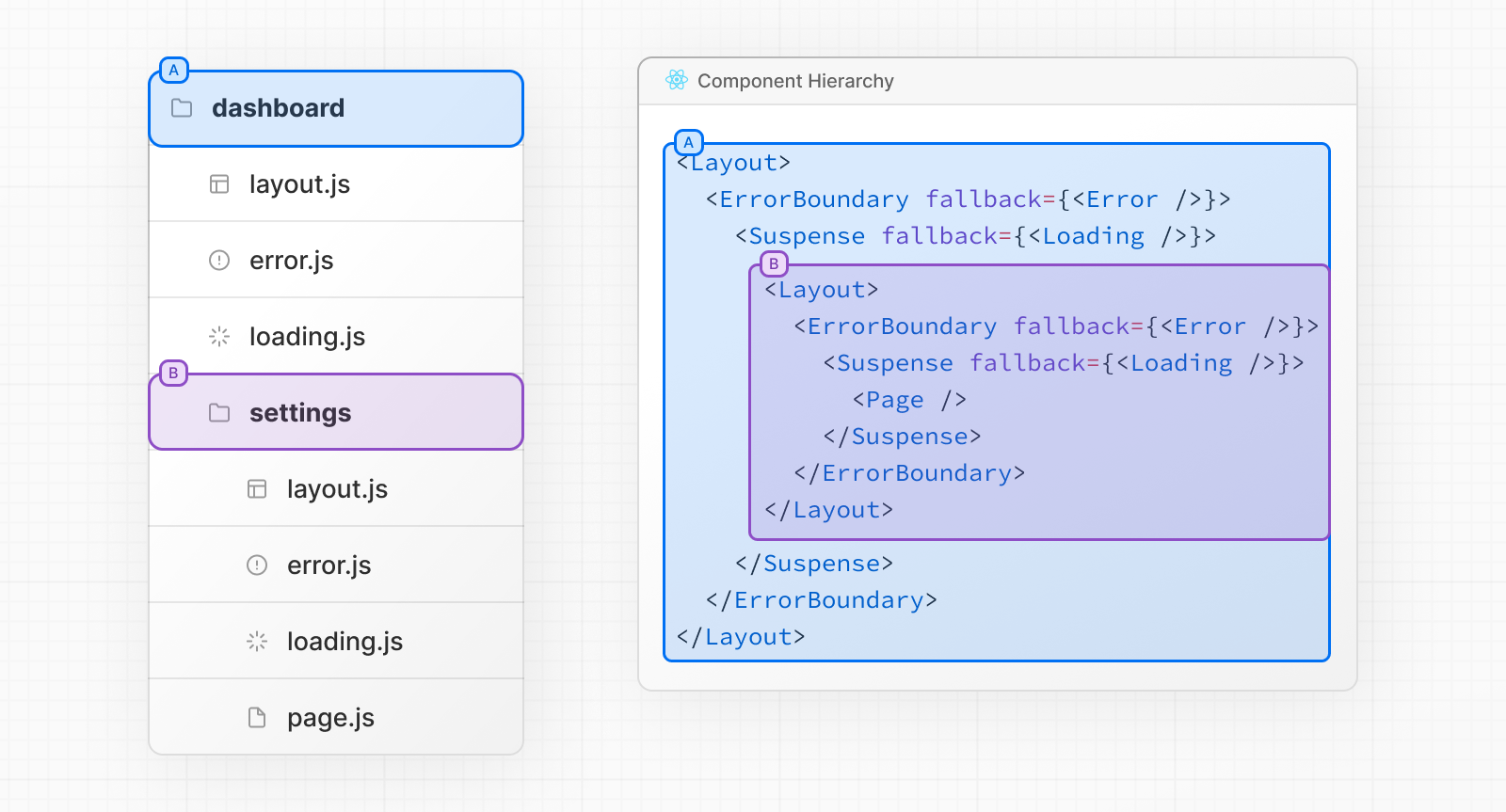
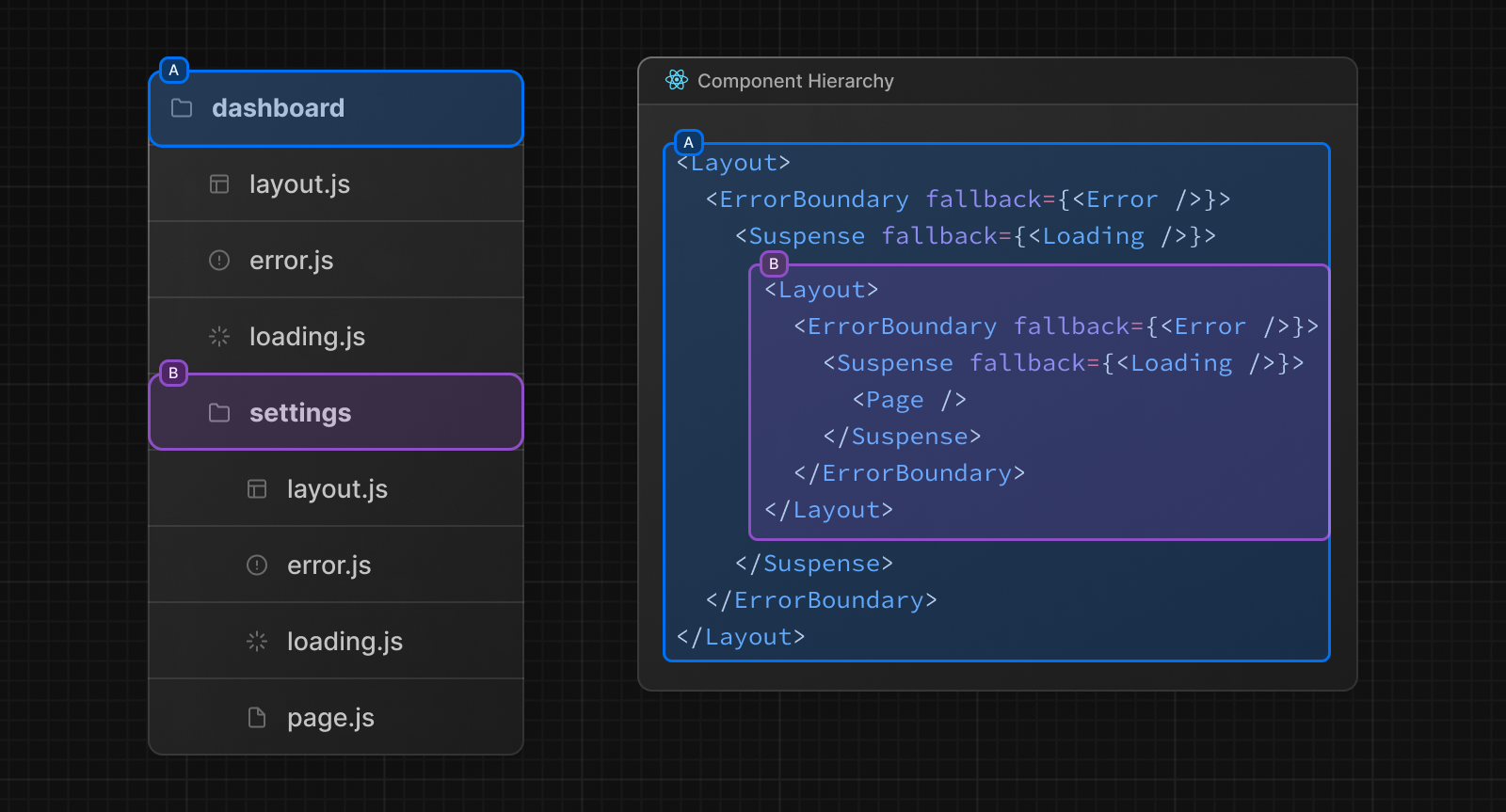
In a nested route, the components of a segment will be nested inside the components of its parent segment.
Colocation
In addition to special files, you have the option to colocate your own files (e.g. components, styles, tests, etc) inside folders in the app directory.
This is because while folders define routes, only the contents returned by page.js or route.js are publicly addressable.
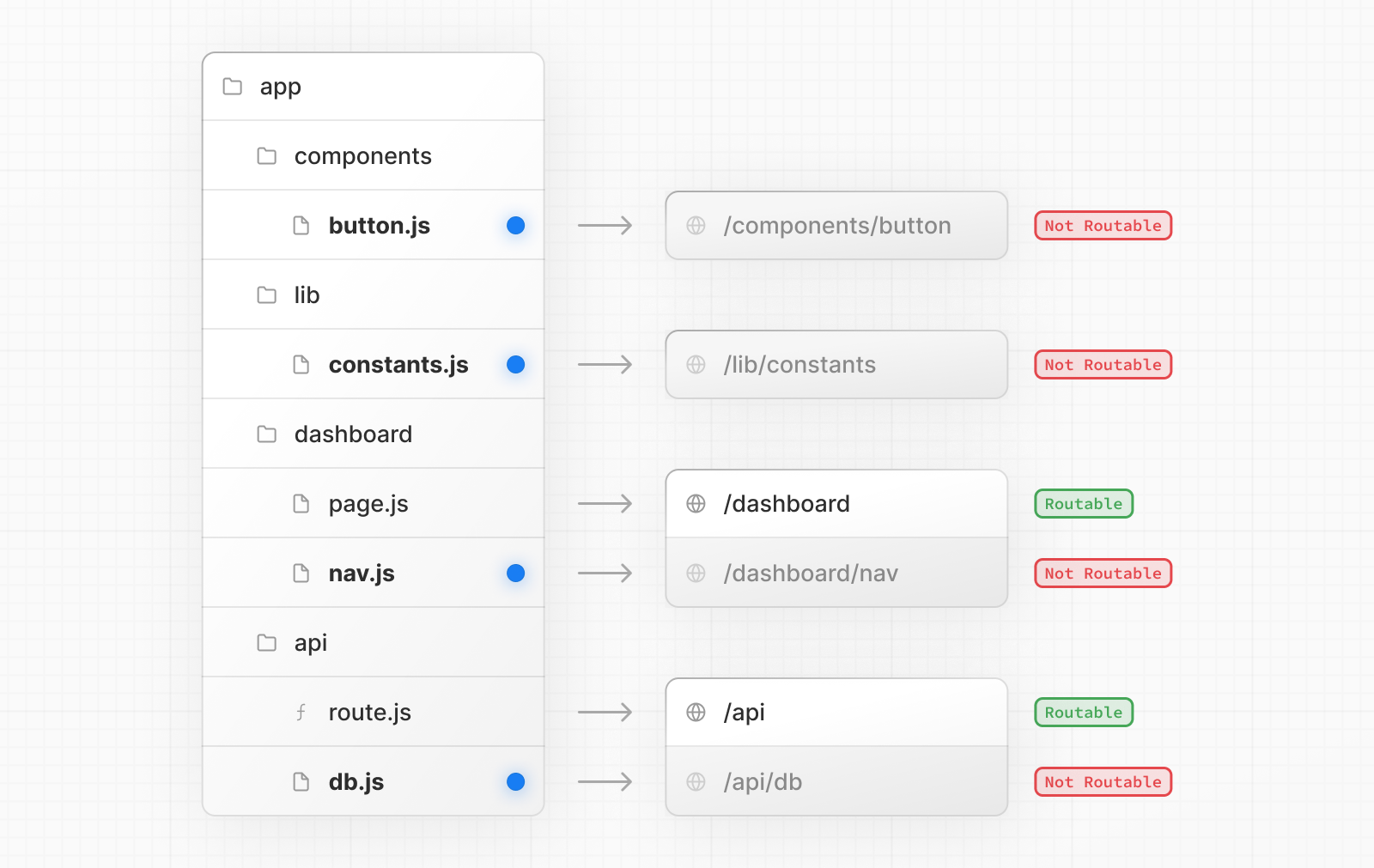
Learn more about Project Organization and Colocation.
Advanced Routing Patterns
The App Router also provides a set of conventions to help you implement more advanced routing patterns. These include:
- Parallel Routes: Allow you to simultaneously show two or more pages in the same view that can be navigated independently. You can use them for split views that have their own sub-navigation. E.g. Dashboards.
- Intercepting Routes: Allow you to intercept a route and show it in the context of another route. You can use these when keeping the context for the current page is important. E.g. Seeing all tasks while editing one task or expanding a photo in a feed.
These patterns allow you to build richer and more complex UIs, democratizing features that were historically complex for small teams and individual developers to implement.
Next Steps
Now that you understand the fundamentals of routing in Next.js, follow the links below to create your first routes:
© 2024 Vercel, Inc.
Licensed under the MIT License.
https://nextjs.org/docs/app/building-your-application/routing